
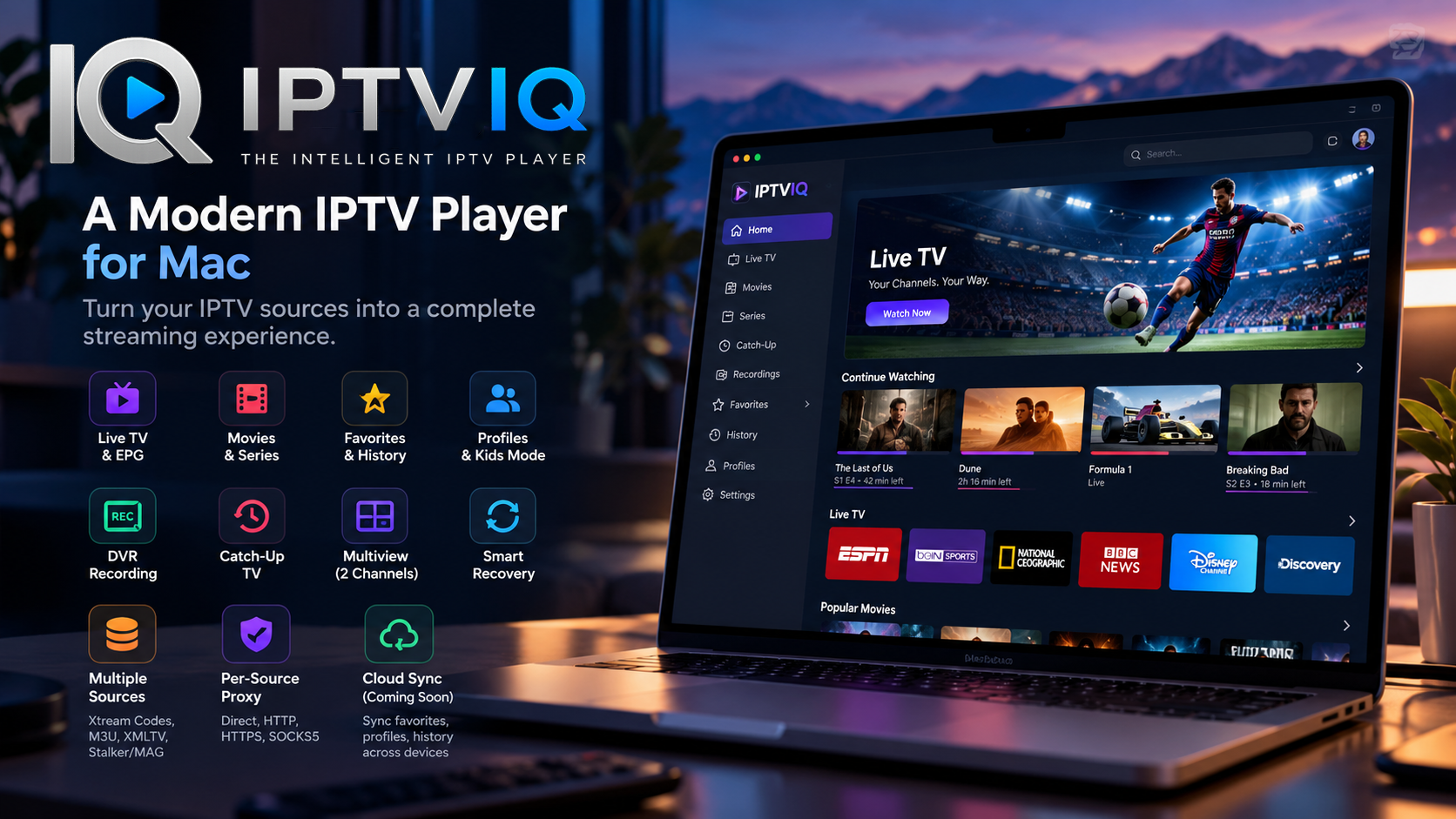
IPTV has evolved far beyond simple playlist players. Modern users expect an experience that feels closer to a complete streaming platform: fast navigation, organized content libraries, multiple profiles, favorites, viewing history, electronic program guides, and reliable playback.
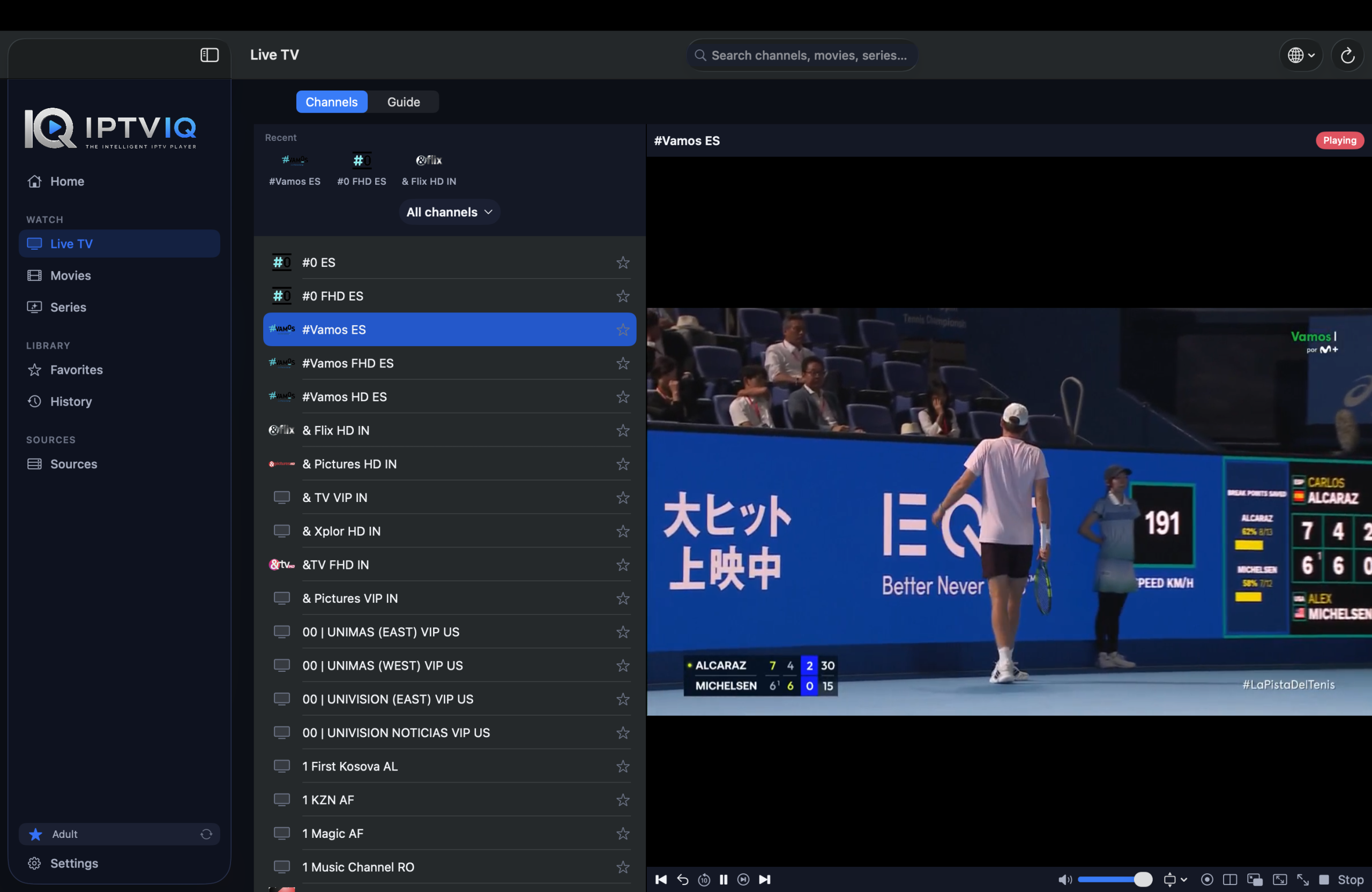
IPTVIQ is a modern IPTV player designed to bring these features together in a polished application for macOS.
Rather than providing television channels or IPTV subscriptions itself, IPTVIQ works as a player and content-management interface for IPTV sources supplied by the user. This distinction is important: IPTVIQ does not provide, sell, or host IPTV content.

Users connect their own compatible IPTV sources, while IPTVIQ provides the interface and tools needed to browse, organize, watch, and manage that content.
What Is IPTVIQ?
IPTVIQ is an IPTV player currently available for macOS.
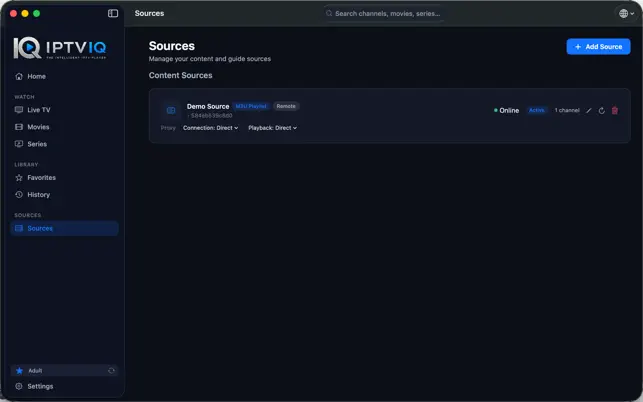
It is designed to transform IPTV sources into a more structured viewing experience, bringing live television, movies, series, program information, profiles, favorites, recordings, and other playback features into one application.
Instead of treating IPTV as nothing more than a long list of channels, IPTVIQ focuses on organization and usability.
Users can connect supported sources, navigate their available content, maintain favorites, continue watching supported on-demand content, manage different profiles, and access advanced live-TV features from the same interface.
Multiple IPTV Source Support
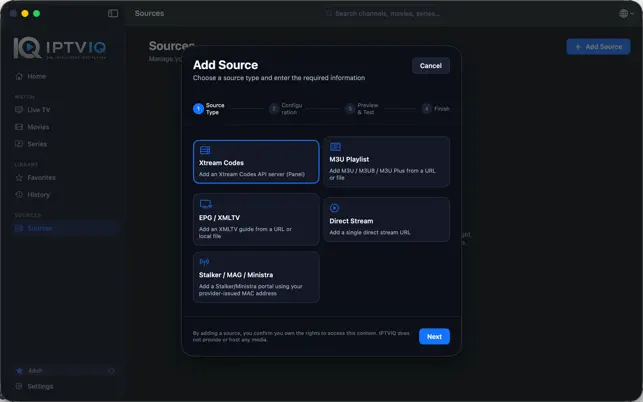
One of IPTVIQ’s key capabilities is support for multiple IPTV source formats.
The application supports technologies including:
- Xtream Codes
- M3U and M3U8 playlists
- XMLTV
- Stalker / MAG / Ministra
Multiple sources can also be configured, allowing users who have access to more than one compatible source to manage them from a single application.
This makes IPTVIQ useful for users who want a unified interface rather than maintaining a completely separate player for every source.
Live TV and EPG
Live television is a major part of the IPTVIQ experience.
Available channels can be organized into categories, while Electronic Program Guide support provides information about current and upcoming programming when compatible EPG data is available from the user’s source.
Features such as channel navigation, channel numbers and Mini-EPG functionality make the experience closer to a traditional television interface while maintaining the flexibility of IPTV.
The result is a more structured way to browse live content without relying on an unorganized playlist.
Movies, Series and Continue Watching
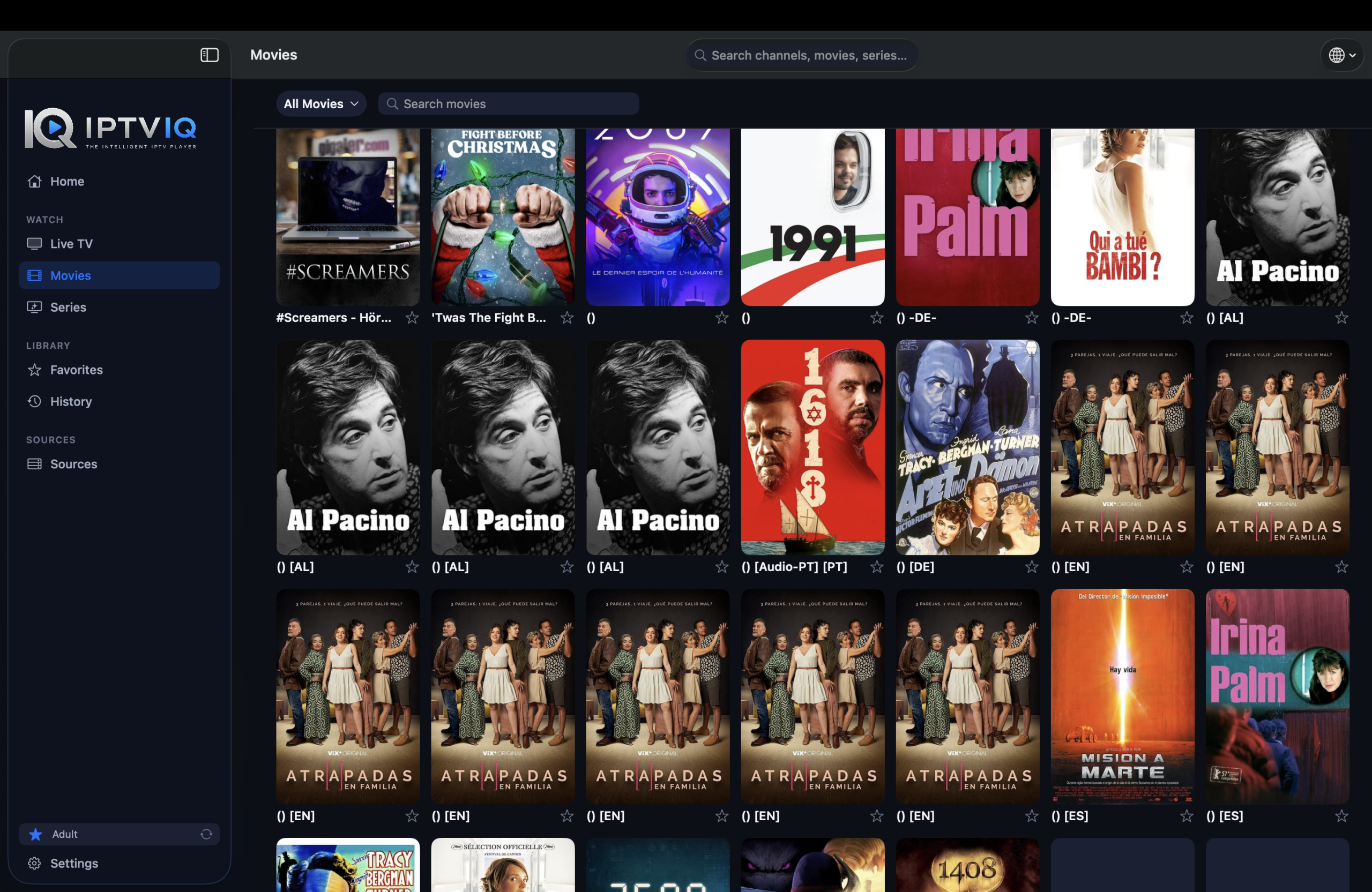
IPTVIQ is not limited to live channels.
When supported by the connected source, movies and television series can be presented through dedicated sections.
The application can maintain viewing progress so users can return to supported content without manually searching for the point where they stopped.
For example, if a movie was stopped at minute 42, its resume position can be remembered and displayed through the Continue Watching experience.
For episodic content, this type of organization can also make moving between episodes significantly easier than using a basic IPTV playlist player.
Favorites and Watch History
Large IPTV libraries can contain hundreds or even thousands of available items.
Favorites provide a simple way to create a personal collection of frequently watched channels or content.
Watch history and resume information add another layer of convenience by helping users return to recently viewed content and continue playback.
These features may appear simple, but they are important when transforming an IPTV player into a personalized media experience.
Multiple Profiles and Kids Profiles
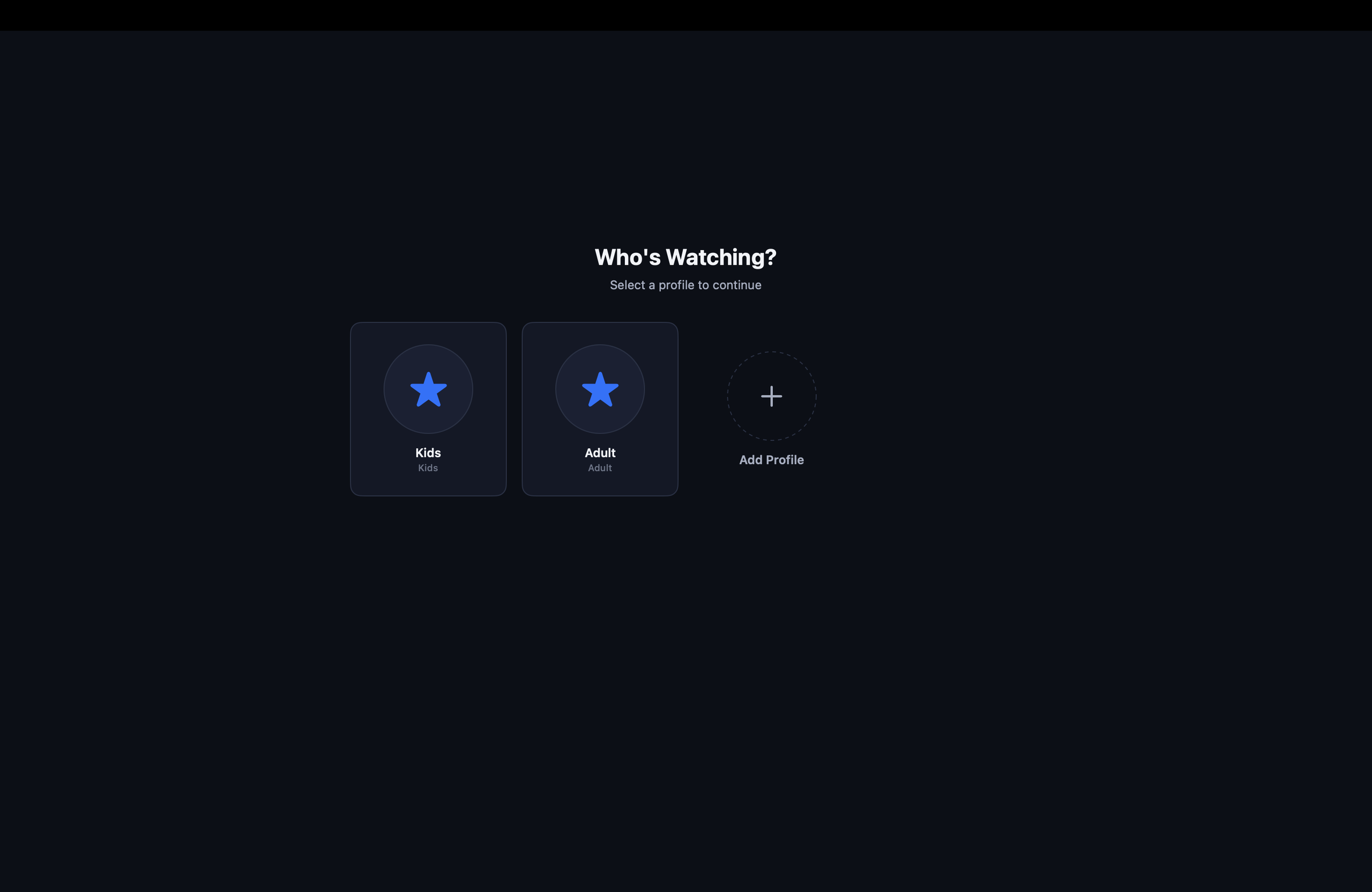
Different members of a household do not necessarily need the same viewing environment.
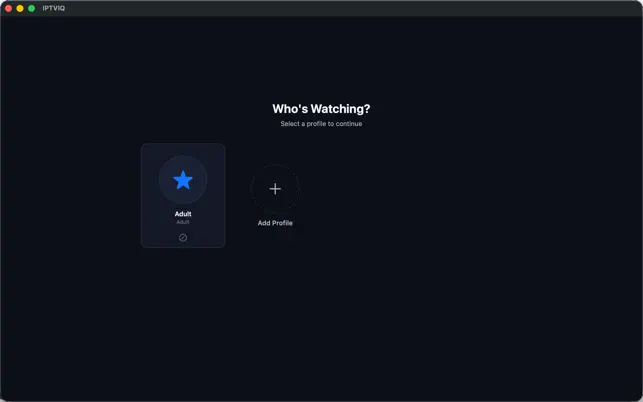
IPTVIQ supports profiles, allowing the application to provide separate viewing experiences for different users.
A dedicated Kids Profile can also be used to create a more controlled environment for children.
Depending on the configured controls, parents can maintain approved or blocked content for a child’s profile rather than exposing the entire available IPTV library.
This profile-based approach also becomes particularly important when considering future synchronization between multiple devices.
DVR and Live TV Recording
IPTVIQ includes DVR functionality for recording supported live television streams.
This means users can record compatible live content and access those recordings later.
An important architectural distinction is that DVR recordings can remain local to the device rather than automatically becoming part of a cloud synchronization system.
Keeping large video recordings local reduces unnecessary cloud storage requirements and avoids confusing device synchronization with video hosting.
Catch-Up TV
Some IPTV providers offer Catch-Up functionality, allowing previously broadcast programming to remain available for a certain period.
When the connected provider supports it, IPTVIQ can make use of this functionality.
Catch-Up availability therefore depends on the capabilities and configuration of the user’s IPTV provider rather than IPTVIQ independently supplying archived television programming.
Multiview
IPTVIQ also includes Multiview functionality, allowing two live streams to be viewed simultaneously.
This can be particularly useful for situations where users want to follow multiple live broadcasts without constantly switching channels.
Sports are an obvious example, although Multiview can be useful for many types of simultaneous live programming.
Smart Recovery
IPTV streams are dependent on network conditions and the reliability of the source server.
Temporary interruptions therefore do not always mean that a channel has permanently stopped working.
IPTVIQ includes Smart Recovery functionality designed to help playback recover from temporary stream interruptions by attempting to reconnect when appropriate.
For users watching live television, reducing the need to manually restart playback can make a significant difference to the overall viewing experience.
Per-Source Proxy Support
More advanced IPTV configurations may require different network settings for different sources.
IPTVIQ provides per-source proxy configuration with support for options such as:
- Direct connection
- HTTP
- HTTPS
- SOCKS5
Because the configuration can be associated with individual sources, users are not necessarily forced to apply the same network configuration to every IPTV source in the application.
Local-First Privacy
Privacy is particularly important for an IPTV application because source configurations can contain sensitive account or server information.
IPTVIQ follows a local-first approach for important application data.
Source information, playlists, profiles, viewing information and related settings can remain on the user’s Mac, while sensitive credentials can take advantage of secure operating-system facilities such as the macOS Keychain.
This approach also highlights an important principle for future cross-device features: synchronization does not have to mean routing IPTV video through an IPTVIQ server.
What Would Cloud Sync Mean for IPTVIQ?
Cloud Sync can easily be confused with cloud streaming, but they are fundamentally different concepts.
Imagine a user has configured IPTVIQ on a Mac and has:
- Added several IPTV sources
- Marked channels as Favorites
- Watched a movie up to minute 42
- Created a Kids Profile
- Approved or blocked specific content for that profile
Now imagine the same user installs IPTVIQ on an Apple TV.
Without synchronization, the Apple TV behaves like a completely independent installation. Sources may need to be configured again, favorites recreated, profiles rebuilt and viewing progress established from scratch.
Cloud Sync is designed to solve this type of problem.
Appropriate application data can be synchronized between devices belonging to the same user.
For example:
Mac: Movie X → 42 minutes watched
Sync
Apple TV: Continue Watching → Resume at 42 minutes
The same principle can apply to Favorites:
Mac: ESPN → Favorite
Sync
Apple TV: ESPN → Favorite
Potential synchronization categories can include Favorites, watch history, resume positions, selected settings, EPG mappings, profiles and Kids Profile approval or block lists.
Large DVR recordings, however, can remain local to the device.
Cloud Sync Is Not Cloud Streaming
This distinction is critical.
Cloud Sync does not mean Cloud Streaming.
It also does not necessarily mean that IPTV traffic should pass through IPTVIQ infrastructure.
The preferred video path remains direct:
IPTV Provider → User’s Device
It should not become:
IPTV Provider → IPTVIQ Server → User’s Device
A synchronization service would exchange small amounts of application metadata—such as favorites, profiles and playback positions—rather than retransmitting the actual television or video stream.
This architecture can preserve direct IPTV playback while still giving users the convenience of a consistent experience across their devices.
A Multi-Device Future
IPTVIQ is currently available for macOS, but the concept becomes even more powerful when extended across televisions, mobile devices and desktop platforms.
A multi-device ecosystem could allow users to configure their environment once and maintain a consistent experience across Mac, Apple TV, iPhone, iPad and other supported platforms.
Cloud synchronization could eventually become an important part of that experience without changing the fundamental direct-streaming architecture.
Users could start watching content on one device, move to another and continue from the same position while retaining their favorites, profiles and selected preferences.
Who Is IPTVIQ For?
IPTVIQ is designed for users who already have access to compatible IPTV sources and want a more organized and feature-rich way to use them. visit IPTVIQ website
It may be particularly useful for people who want more than a basic M3U player and value features such as EPG integration, profiles, parental controls, recording, Multiview, viewing history, favorites and advanced source management.
However, users should remember that IPTV availability, stream quality, channel selection, Catch-Up support and other provider-dependent functionality ultimately depend on the source they connect.
IPTVIQ Does Not Provide IPTV Content
IPTVIQ is a media player and management application.
It does not itself provide IPTV channels, subscriptions or media libraries. Users are responsible for supplying compatible sources and ensuring that they have the appropriate rights and authorization to access the content they use.
This separation allows IPTVIQ to focus on what a modern IPTV player should do: organize sources, improve navigation, manage viewing preferences and provide a better playback experience.
Final Thoughts
IPTVIQ represents a more modern approach to IPTV playback.
Support for multiple source technologies, Live TV and EPG, movies and series, Continue Watching, Favorites, profiles, Kids Profiles, DVR, Catch-Up, Multiview, Smart Recovery and advanced network configuration moves it beyond the functionality of a traditional playlist player.
Its local-first approach is equally important. Features such as future Cloud Sync can synchronize useful metadata between a user’s devices without turning IPTVIQ into an intermediary for IPTV video traffic.
As IPTVIQ expands beyond macOS and into a broader multi-device ecosystem, the combination of direct streaming, local control and selective synchronization could provide a compelling foundation for a modern IPTV experience.
IPTVIQ is available through the Mac App Store.